
 wptreasure
 The plugin provides the feature to hide or auto-hide for all users after logging in.
When the Auto-Hide option is enabled, the top admin bar will be hidden until you hover over it.
How to use it:
1. Install – activate the Admin Top bar Visibility plugin.
2. Click Visibility Mode on the settings page.
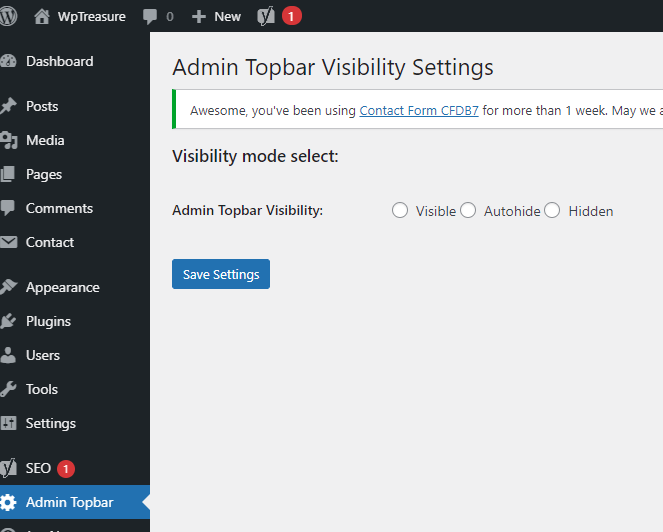
Preview:
Download WordPress Plugin:
You can download the free WordPress plugin by clicking the download button below.
Note: the Auto Hide WordPress plugin is available under GNU General Public License.
Homepage: https://wordpress.org/plugins/admin-topbar-visibility/